Make music. Post it. Go viral.
Produce your own tracks in a professional music studio on Roblox. Share them to an endless scrolling feed, build your fanbase, and climb the global charts.
Features
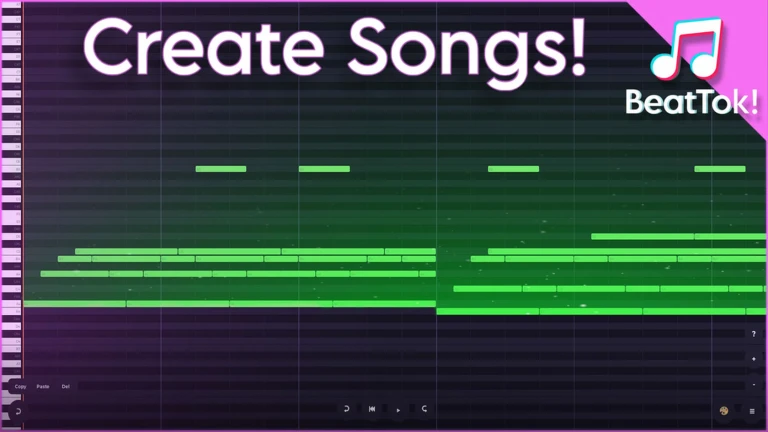
Piano Roll & Live Play
Express yourself through a full 88-key piano roll editor. Place notes, stack chords, set BPM, or record live in real-time using your keyboard.
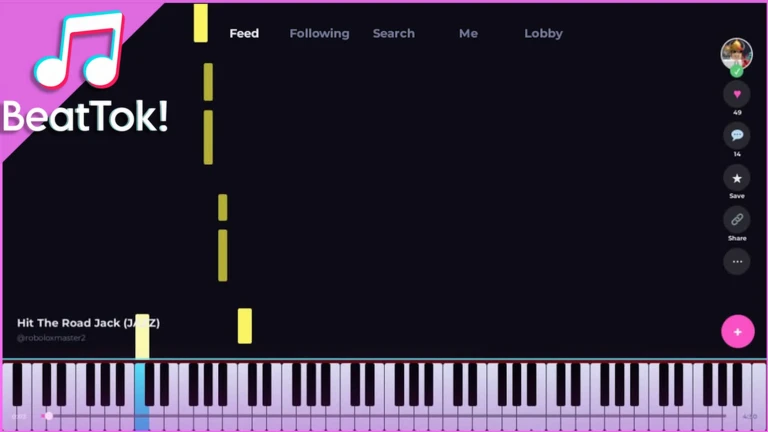
Endless Scrolling Feed
Drop your songs into a personalized feed. Follow creators, save tracks, leave comments, and watch your releases gain popularity.
Visualizers
Customize your playback experience. Choose visualizer modes like Tiles, Orbit, or Bounce to pulse in sync with your beats.
Economy & Promotion
Earn coins by posting beats and playing. Spend them to promote your music to more listeners or gift creators you follow.
FAQ
How do I create a beat?
You can use the 88-key Piano Roll editor to place and stack notes manually, or switch to Live Play to record in real time using your keyboard.
How can I get my song heard?
After posting your track, it drops into the endless global scrolling feed. You can also spend in-game coins earned from playing to promote your song to more users.
Are visualizers customizable?
Yes. Every song supports multiple visualizer vibes: Tiles, Orbit, or Bounce. You can choose whichever style matches your track's audio output.